Axis & Allies .org Forums
    • Home
    • Categories
    • Recent
    • Popular
    • Users
    • Register
    • Login
    1. Home
    2. Black_Elk
    3. Posts
    0%
    • Profile
    • Following 0
    • Followers 5
    • Topics 100
    • Posts 2,096
    • Best 184
    • Controversial 0
    • Groups 6

    Posts made by Black_Elk

    • RE: North Africa pre-release

      D10! Just watched the interview and caught that bit - love it!

      That innovation alone should turn up the heat a bit for desert sands hehe

      I just was thinking the other day how it might be time for A&A to start chasing that D20, since I’m pretty sure BG3 has made them more popular than they’ve ever been. Good call! I’m intrigued to see how it all unfolds

      posted in News
      Black_ElkB
      Black_Elk
    • RE: Global 40 Expansion Boxes

      @barnee No worries. Not sure on the GIMP stuff, you’re running on linux right? maybe a case/name thing? Anyhow just threw together a quickie for your boxes one. There might be a little jank artifacting where I copied over the new line and replaced the area of the old, but I think it should read fine for now. Just have to run it through the tiler breaker and assign the new polys for the tile like the other one. Let me know if it worked for ya

      Base
      https://www.dropbox.com/scl/fi/k9ro6b5xbcds9btmimxu7/baseline_uhd_global_1940_Boxes_1-27-24.png?rlkey=y1b5ql4edba363xlkh33hcvtg&dl=0

      Relief
      https://www.dropbox.com/scl/fi/rtgux8qsq288sj2nlsryi/relief_uhd_global_1940_boxes_1-27-24.png?rlkey=2wfl2mg3g4trwyn1jxk0ig9sm&dl=0

      posted in TripleA Support
      Black_ElkB
      Black_Elk
    • RE: New TripleA Map UHD World War II Global

      @barnee Ok dude I shot the image files to your email for the base and relief. I didn’t run it through the utilities cause wasn’t sure how far you got reworking the polys/place. Basically just need to shift that TT connection in the polygrabber and then shift the place for the sz number graphic.

      Sorry it took forever, got covid and it laid me out for like a week solid. Still on the mend. Had to wrangle the technology cause I got a new laptop over the holidays. Usual lagmaster. Anyhow these should have you sorted hopefully.

      To do it for the other map, basically you just want to draw the selection marquee around the thing you want to copy over in gimp, delete that section from the old relief and paste in the new. For your expansion boxes relief map I mean. I think that’s the easiest cause there’s like a 2 px gap right at the border transition. Might catch I little artifacting jank where the old line was, like at 200% mapview in triple 2.6, but I tried to knock it back as best I could. We can clean it up with the clonestamp or whatever, but hopefully not too rough for a quickie. Let me know if you get in the weeds, and I can have a look at it in a day or so when I’m less dizzy haha.

      Relief
      https://www.dropbox.com/scl/fi/yavijtpxxprty6klsrpum/relief_uhd_global_1940_1-18-24.png?rlkey=n1s7u62ciym923om9dgmtcmt2&dl=0

      Base
      https://www.dropbox.com/scl/fi/r1u4qym8qfm5ci2fnifd2/baseline_uhd_global_1940_new_1-18-24.png?rlkey=fwefmlijv7j2b04gv0p8h93gw&dl=0

      Best Elk

      posted in TripleA Support
      Black_ElkB
      Black_Elk
    • RE: Panzerstahl-Helm vs barnee Game 3

      @Panzerstahl-Helm @barnee

      Oh damn! Good catch! Another one hiding in plain sight. I guess I’ll blame that one on godzilla smashing Greenland too hehe

      Let me know if you get the base fixed up, and good eye.

      For the relief should be able to just do a copy/past to move the line in GIMP, then clone/blur the sz tile area from the borderline that gets moved. Or you could just draw it in with a 1px pencil using the color select tool to match to get the same sort of blend at the edge. Pretty sure I did all the oceans as just regular opacity last time, figuring I’d probably miss something, so hopefully a quick fix there. Let me know if you get caught in the weeds for the relief, should have some time at the end of the week to kick around.

      Happy gaming!

      posted in Play Boardgames
      Black_ElkB
      Black_Elk
    • RE: New TripleA Map UHD World War II Global

      @barnee

      Good catch! I like your solution. I sent you a base cause it looked like it had some antialiasing in that area.

      Here’s a quick temp relief till I can clean it up some more…

      https://www.dropbox.com/scl/fi/kgjzn3zhmk6a3z3xon5z9/relief_uhd_global_1940_9-17-23.png?rlkey=z3gadawc5a0yoobhjn65pyd0r&dl=0

      I busted my left arm in a fall so I’m sorta like in a sling with the WASD just in reach lol. Anyhow, you should be able to just cut out a rectangle from the other map with the boxes, and copy/paste the same area to the other relief. Let me know if that works for ya.

      best
      Elk

      posted in TripleA Support
      Black_ElkB
      Black_Elk
    • RE: Rough in the Diamond

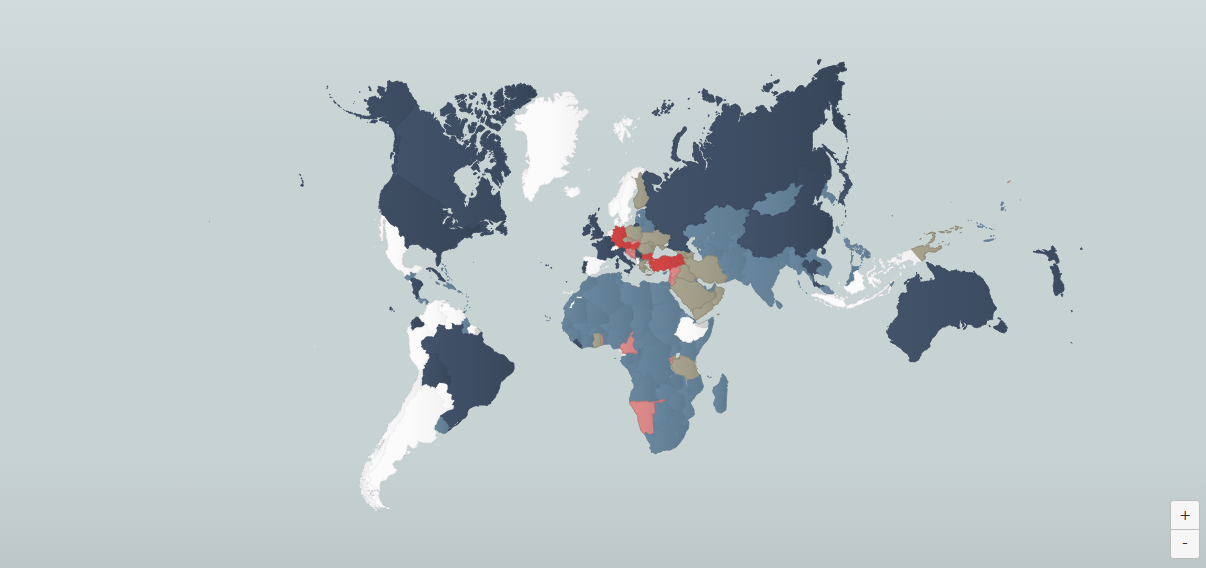
      This is an interesting map that attempts something sort of similar in the projection, or similar sort of rotation on Europe at any rate, though without showing the bottom of Africa…

      Those are clearly more recent political boundaries hehe, but perhaps something like that with an inlay box for the bottom of Africa? Like instead of distorting the shape you could just sorta crop in on Europe and do the peripheral stuff like the North Atlantic and South Africa as an inlay box to left or right side of the main playing field. If keeping a square format you could do it on the lower left like a zoom out view where the Sahara/West Africa shows below. Or could go wider on the sides to use more of the table than a square. Might work. Like you could just sorta abstract an obvious sz connection between the stuff shown on the main Europe map and whatever side panel arrangement.

      https://www.theworldwar.org/interactive-map

      6b122f42-c380-41d5-a95c-de5178916766-image.png

      efb60700-c082-451c-835f-e3771f2499f8-image.png

      e423a226-8c89-4fae-a464-e71e7c43dd1e-image.png

      e680e374-8cfd-4fff-b30d-c3e8f33c73a1-image.png

      posted in Axis & Allies 1914
      Black_ElkB
      Black_Elk
    • RE: Playtesters Wanted for A&A: North Africa by Renegade Games

      Sounds cool! I don’t got a mic or discord, but just wanted to float this idea real quick in case it catches eyes…

      New unit type: Agent

      So I have a couple ideas here that I think would be worth pursuing, but the basic idea is to create a Spy vs Spy Agent type unit for the major factions. To model in some way things like resistance ops, espionage/sabotage shadow war and the like, but in a way that’s not too complex so it can still service the scale of a theater game. Sort of a catch-all single unit, that could capture that element thematically, and register at a glance.

      First I think the game would benefit from have a sculpt that is recognizably a gal. In the box art and the unit sculpts we got a lot of tiny dudes, but really like no women. It’s a bit of a standout I think at this point. Granted this would like the dictionary definition of tokenism, cause I’d really like to see an actual token in the game, a unit sculpt in plastic, but I think it would work and fit the mold.

      Especially since North Africa has all those connotations of like Maquis /SIS vs Abwehr, that sort of angle. I really got a visual pegged like Ingrid Bergman/Diane Kruger with a hat and coat hehe. Something Hollywood, with the glitz. A bit cartoonish or a little campy/pulp noir, familiar like that to help to sell it. Becca Scott in the hat more or less, whatever works. Just something with a good pose and the WW2 flick vibe.

      I’m not sure how this unit might work mechanically. I have several ideas there that I think might fill a niche, but this is more just like for the brainstorm, so thought I’d just float the gist.

      Anyway a quick visual for inspiration hehe

      uk_agent.png germany_agent.png

      I think it could be fun for a game more on the theater scale like North Africa. Similar to other unit types that first debuted on the tactical boards as proof of concept, but I think it might work in a G40 scale game as well.

      Right then, just a quick thought! All the best with the development.
      Can’t wait to check it out
      :)

      posted in News
      Black_ElkB
      Black_Elk
    • RE: Global 40 Expansion Boxes

      Sounds good! Have fun! :)

      28b9e466-ecab-4953-809f-80440a619e74-image.png

      d1b4349c-3cf2-4e3f-88b4-22984dfa88f2-image.png

      a872685b-b86c-4eb8-91a3-7c2a13784316-image.png

      efead1d9-5df6-4b6e-8065-6a2049b61b51-image.png

      7a8b2512-663d-41bc-8bd2-dd2f98c4ca90-image.png

      1422c447-a94b-4e79-9f04-c0fec5fce2c5-image.png

      2dde83b6-eedc-4c8c-a10e-92855d3e1b64-image.png

      0b0a9a44-0c0c-4669-8174-88375f6cc3d8-image.png

      29a9bb69-751b-4b9f-905f-67565e85eaf7-image.png

      fbd0822a-6e9a-4a0d-acf4-d44b338218fb-image.png

      b19cc79d-d755-465d-a523-2d2a736c3364-germany_agent.png

      posted in TripleA Support
      Black_ElkB
      Black_Elk
    • RE: Global 40 Expansion Boxes

      Yeah I feel like that should be a Maquis or Brit exclusive right? lol

      67a587a9-809c-4c83-9a71-ff766902f81f-image.png

      a1297deb-74c7-4583-9373-2f790da89492-image.png

      posted in TripleA Support
      Black_ElkB
      Black_Elk
    • RE: Global 40 Expansion Boxes

      Here you go

      35d44c22-1906-4fef-9114-9a7890038dc0-image.png

      8530e914-5fbe-40fb-9787-00385253e9b1-image.png

      Here’s a gradient you can use to kinda ballpark

      little lighter

      aefb258f-bee1-45d7-8e17-850dec0bcb6f-image.png

      little darker
      bf42494a-41ec-4c8e-a2d8-a4df2989a853-image.png

      a lot darker

      2e5f3327-233d-4a4a-92f6-21631dda09ce-image.png

      near black
      7efb973d-acff-4a16-9671-038adc6329c5-image.png

      midnight blue/black

      da7b47d1-8bba-4e5a-8796-de2431dfe194-image.png

      I think if you push much further, like into a true black it’d just flatten into a silhouette, but you’d have to check against the midrange background. I’d probably just crank the chroma a little so you’ll register a contrast there with the neutral gray being used for the German ownership hex here. But you’d want to try it in game to make sure it looks good.

      slightly widened (more crouched)

      130b4224-7f39-4cb1-980b-ee81a61d543f-image.png

      Also here is an agent provocateur, handler, and assassin. In case anyone feels like coming up with rules for those hehe

      c08a7d0a-b6f4-4902-a51a-2243b3c6a28b-agent provocateur.png

      ad8dcf1a-d265-4b98-84b3-4136d45041c2-agent handler.png

      45360806-47b8-466a-9eb5-3854b0b63d31-agent assassin.png

      posted in TripleA Support
      Black_ElkB
      Black_Elk
    • RE: 1942.2 rulebook available for download

      @panther Right on!

      @Renegade

      For the GenCon/Renegade Tournament rules, since these are informally the bidding rules that players are likely to adopt at home, I would suggest the following edits for clarity…

      “• There will be an open bid of IPCs for sides each round.”

      to read

      • There will be an open bid of IPCs for sides each tournament elimination round.

      And then later for the bidding example provided…

      “Whoever starts the bid, must announce what side they wish to play (Axis or Allies) and issue a positive bid (minimum 1 IPC). If your opponent takes the bid at 1 IPC then obviously, they wanted to play the other side and the 1 IPC is paid as described above. If they choose to increase the bid, then the bidding will continue until one side accepts the bid IPC value and buys units accordingly.”

      to read

      “Whoever starts the bid, must announce what side they wish to play (Axis or Allies) and issue a positive bid (minimum 3 IPCs). If your opponent takes the bid at 3 IPCs then obviously, they wanted to play the other side and the 3 IPCs are paid as described above. If they choose to increase the bid, then the bidding will continue until one side accepts the bid IPC value and buys units accordingly.”

      The reason is to make sense of the earlier line which states that bid IPCs cannot be saved…

      “This number of IPC’s may be used to buy game pieces only! You may not save the money or use it for the purchase of Industrial Complexes.”

      So opening with a bid of 1 or 2 IPCs is effectively offering the opponent nothing, since the cheapest unit available is Infantry at 3 IPCs, and the player cannot save their bid for regular purchase. I would also clarify that IPCs cannot be used to upgrade a unit. Lest the player think a bid of 1 IPC could be used to say upgrade a starting Infantry unit to a starting Artillery piece or something like that. Again just cause people will likely refer to this doc for their home games in addition to the formal tourneys.

      :)

      posted in Axis & Allies 1942 2nd Edition
      Black_ElkB
      Black_Elk
    • RE: Game 2: VictoryFirst (Axis) vs barnee (Allies) - G40 House Rule Expansion by The Captain

      @barnee Sent the fixes to your email for both maps.

      Looks like this now
      52808b41-50b9-474e-b506-bc1dd2566c3e-image.png

      posted in Play Boardgames
      Black_ElkB
      Black_Elk
    • Rough in the Diamond

      I never really weighed in on this one, but of course, like every board, I just swooped the re-release lol. I wanted the sculpts even though the colors wouldn’t really be my top choice. The map still gives me vertigo though. I’m curious if the decision to go diagonal for this map was intentional in order to prevent the thing from translating onto a monitor or modern screen?

      Dead space on a monitor is a little different than deadspace on a table that can be filled up with unit trays and snacks or whatever. And a diamond is a lot more deadspace than a black bar going from 4:3 to 16:9. Or even 1:1 or 1:2. Like you put it on its side and presto, it’s instantly this massive chore to translate the map onto a screen in a satisfying way haha. I really wonder if this was by design, which would be clever, even if a bit annoying for me personally hehe.

      Quick Q, has anyone already morphed this thing for a Horizontal orientation?

      I don’t mean redesigning the map to add tiles or make the borders more historical or whatever, but simply to port the game as is (vanilla) but on a regular rectangular field. I was going to attempt it, but it’s a fair bit of work, so if it’s already been done figured I’d ask.

      I’ve heard people say the map needs to be this way to fit Africa. I’d disagree. There’s already plenty of distortion going on, a stretch could achieve something very similar without too much added space on the flanks/ocean. Running the max height along the diagonal and putting it inside a square is very limiting in my view. Like of course the thing has to be squat at 32 inches on it’s sides, since top to bottom thing would still need to fit on a regular table at the diagonal and that’s like what already topping 44 inches. This means that unless you have a very beefy table, or two tables stacked together, or a giant card table, that you’re going to have to lay it out Horizontally anyway right? I mean that’s what I did for the other one when I first bought it. And then everyone is sitting around looking at it’s gangster lean lol.

      Also not a huge fan of a bunch of oblique and curved lines for all the sz divisions, I’d aim to make those a bit more regular in the angles I guess. I was tooling around with the experimental one that XimZero made, since it uses some of my old work, thought I might try to clean it up or revamp.

      I mean I’m looking at this right here, or the OOB board, and thinking ok but is that really better/more practical than something more like this that just stretches wide again?

      baseTiles the diamond.png
      baseTiles stretched 48.png

      I didn’t make that one, it was Xim baseline, but I think you could preserve a lot of that OOB distortion, or continue to blow out Europe to be a fair bit larger. Like I don’t know, maybe even twice as large?

      I’m curious, when you guys lay this out on the table/s do you present it in the Diamond or do you just tilt to horizontal? If everyone is doing the latter I think I’d just lean into that and morph the map back into horizontal orientation. Obviously I’d want to rework the projection a bit and the coastlines and such.

      ps. for an overall design, instead of a Diamond/Rhombus thing going on, I was thinking a pseudo cylindrical type projection, with that sort of elliptical motif. Then you could keep some curved sz lines like OOB, or give that vibe like a fun-house mirror/magnifying glass. Sorta like the Mollweide world projection I guess https://en.wikipedia.org/wiki/Mollweide_projection
      just more exaggerated, since it’d be mostly centered on Europe, with anything outside that focus under pretty heavy distortion. Anyway, that kinda deal, with an ellipse inside a rectangle rather than a diamond field, though obviously the ellipse wouldn’t be an equal area design, it’d be like one of those optical illusions or power of suggestion things. So sorta like, you see the curves and then extend the idea in imagination, and so it makes sense when you see it start to wrap/contort towards the edges. Then just toss a couple insets for staging units or design elements to make it feel complete.

      I absolutely love the cover art on this box. And I love the WW1 theme and a lot of the rules and such I think are fun and novel, but the map could be a lot larger right? I mean for the tight spots like the low countries or where the various powers converge onto each other. Just seems like having more room there for Europe would be a plus. I think perhaps some of the design artwork that is on the cover of the box/manual, those montage design elements could just be inserted into the map itself at the margins (eg the stuff outside the ellipse/game field).

      AA-1914-Rulebook-Cover (1).jpg

      Mollweide_projection_SW.jpg

      posted in Axis & Allies 1914
      Black_ElkB
      Black_Elk
    • RE: Game 2: VictoryFirst (Axis) vs barnee (Allies) - G40 House Rule Expansion by The Captain

      @barnee

      I sent a quick fix for Novosibirsk to your email. Has the updated base/polys/relief for the UHD. I just knocked out a quickie line, turned the border at the river to get the proper division. I remember when that got tweaked when we stretched the Russia TT a bit wider hehe. For Bryansk couldn’t catch what was off there, did you mean Samara? That was the border that was off that I saw. Anyhow, I think should work for now. Let me know if that does the trick

      3af518fa-eb4f-45d8-837f-de83a3cd07c3-image.png

      posted in Play Boardgames
      Black_ElkB
      Black_Elk
    • RE: Global 40 Expansion Boxes

      https://www.dropbox.com/s/jh37f6el6wak69i/relief_uhd_global_1940_boxes_basic_5-11-23.png?dl=0

      There ya go. I would consider changing the Hex color for changer to something more midrange so it’s more in line with the value of the other National Hex colors. That way your bleed on the boxes will look more consistent. Right now it’s the same for all, but the Changer color is considerably brighter than the others, so you’ll notice that more. I’d try just dialing down the brightness for that color till you have something you like.

      You can paste over any graphic for deadspots. Not sure what you want. I just used a quick placeholder…

      a923bc24-c088-419a-a8c6-2638b1c9ad34-image.png

      When you know what you need for icon graphics and where you want them to go and I can try to make you something for that and the labels. For the labels I’d rescale or abbreviate them so you don’t strike across the line with those. I’m not familiar enough with the game to know what you’d need, so you’ll have to let me know.

      Reworking your units graphics will take longer. That’s a more ambitious project, but I think you could bring them all in line and it wouldn’t be too hard. Just need to remove your dropshadows and correct some of your tints. Colors/shapes for some your unit icons or the LMs etc. Anyhow, for another night. Just wanted to get you something a bit tidier for now :)

      posted in TripleA Support
      Black_ElkB
      Black_Elk
    • RE: Global 40 Expansion Boxes

      @barnee

      Here is the basic relief for your boxes map.

      If the boxes are set, you can choose whatever for the empty spots. Like if you have a graphic or something I can just insert it there, so the space isn’t showing white. For all the rest of the boxes I can just add an opacity transition or paste in some terrain/or patterns to make it looks like the other spots if you think it’s ready to roll.

      :)

      https://www.dropbox.com/s/jh37f6el6wak69i/relief_uhd_global_1940_boxes_basic_5-11-23.png?dl=0

      posted in TripleA Support
      Black_ElkB
      Black_Elk
    • RE: Game 2: VictoryFirst (Axis) vs barnee (Allies) - G40 House Rule Expansion by The Captain

      ps. sorry I mixed up this thread with your other one. You’ll use tilebreaker but navigate to the map just called “Expansion.” I think you just need the relief for that game to match the UHD one.

      Hopefully that helps :)

      posted in Play Boardgames
      Black_ElkB
      Black_Elk
    • RE: Game 2: VictoryFirst (Axis) vs barnee (Allies) - G40 House Rule Expansion by The Captain

      @victoryfirst Fortunately this one will be an easy fix, you just need to update the relief. You can run the tilebreaker map utility with this one. Or beelee can probably get it you, I sent it to his email the other day

      https://www.dropbox.com/s/9epukg9ouprozou/relief_uhd_global_1940_blue_new_5-9-23.png?dl=0

      You will put the relief in your downloaded maps folder, the one called Expansion with “boxes.”

      Map Creator Tools> Run Image Tile Breaker

      Then you’ll navigate to the downloaded maps folder and select the folder in the directory called reliefTiles. (The default will send you to your main tripleA directory, but you need to back out and send it the downloaded maps (like next to where the saves are stored, for me it’s in Users). Then it will ask for the image, and you’ll choose that relief in the dropbox link above.
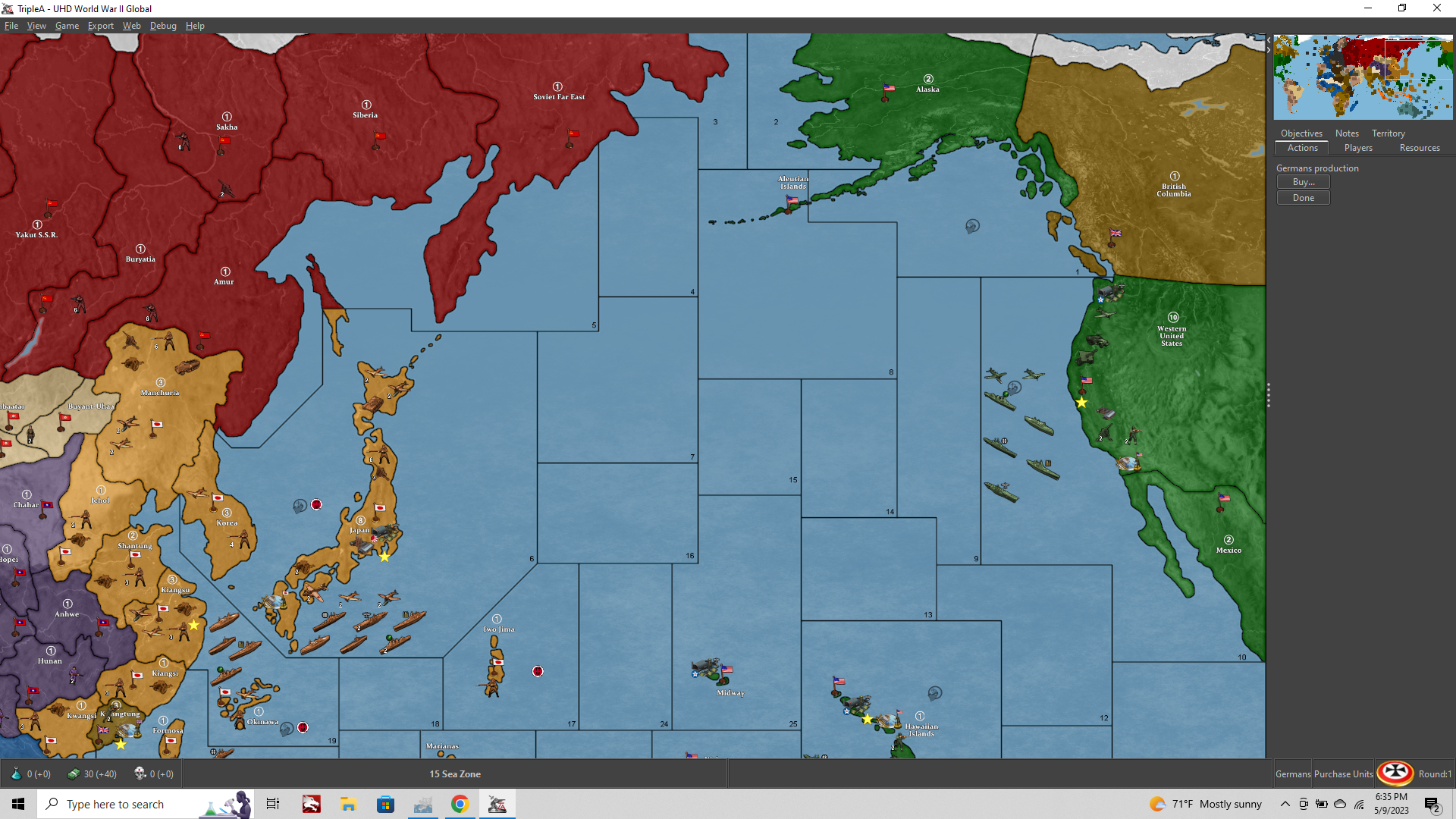
      a81b1aab-58d9-4ffb-b182-cec747c6ff48-image.png

      Or probably Beelee can get you the stuff from the Git, which may be simpler. Running the tilebreaker is pretty quick once you’ve done it, but all the map creator tools have a bit of a learning curve.

      posted in Play Boardgames
      Black_ElkB
      Black_Elk
    • RE: Game 2: VictoryFirst (Axis) vs barnee (Allies) - G40 House Rule Expansion by The Captain

      Haha right on! Glad you’re enjoying it.

      I just archived a bunch of stuff to my d drive to free up some space on the SSD card. It was 25% random tripleA maps stuff lol. Anyhow, just let me know what else you need.

      posted in Play Boardgames
      Black_ElkB
      Black_Elk
    • RE: Game 2: VictoryFirst (Axis) vs barnee (Allies) - G40 House Rule Expansion by The Captain

      OK I sent the basic UHD with correction to your email.

      Looks like this now…

      6c6962c8-3622-4307-b576-d7df077ad730-image.png

      This correction requires adjustments to the centers.txt and the polygons.txt. To do the same with for your map with the boxes, you maybe need to run the center picker and polgyon grabber again to make sure it has the stuff you changed for the boxes. Also the sea zone numbers in the decorations for that txt. I sent all the UHD stuff to beelee.
      I would suggest updating that first, and then using those polgyons and centers files to make your updates for the Expansion stuff with the boxes.

      Here is the baseline with boxes…

      https://www.dropbox.com/s/477bfi22fl6bzo7/baseline_uhd_global_1940_boxes_5-9-23.png?dl=0

      Here is the draft relief with boxes to match…

      https://www.dropbox.com/s/vcv41futml9drf1/relief_uhd_global_1940_boxes_basic_5-9-23.png?dl=0

      For the inside of the boxes you just let me need to know what kind of look you want, whether you want specific graphics for those areas or just the basic terrain sort of look like other colored areas of the map.

      Hope that helps, and again nice catches!
      Have fun :)

      posted in Play Boardgames
      Black_ElkB
      Black_Elk
    • 1
    • 2
    • 3
    • 4
    • 5
    • 104
    • 105
    • 3 / 105