

@Panther I actually skipped that step. It works now.
Thank you so much!
Global 40 Expansion Boxes
-
@VictoryFirst I would rename to same image in misc and replace it, then you can see how it fits. Send map picture when you do so I can see too :)
Edit
Nice Job On Free Ships ! F Yea !
Oh yea, so names in misc folder, Free ships in Changers units folder. Just need to rename him and put him in Changers folder and it’ll fire up
-
Forgot to change BB_Damaged image for JPN

Just replace in Japanese units folder
-
Heres 1943 EXP 1943 Boxes Setup.tsvg
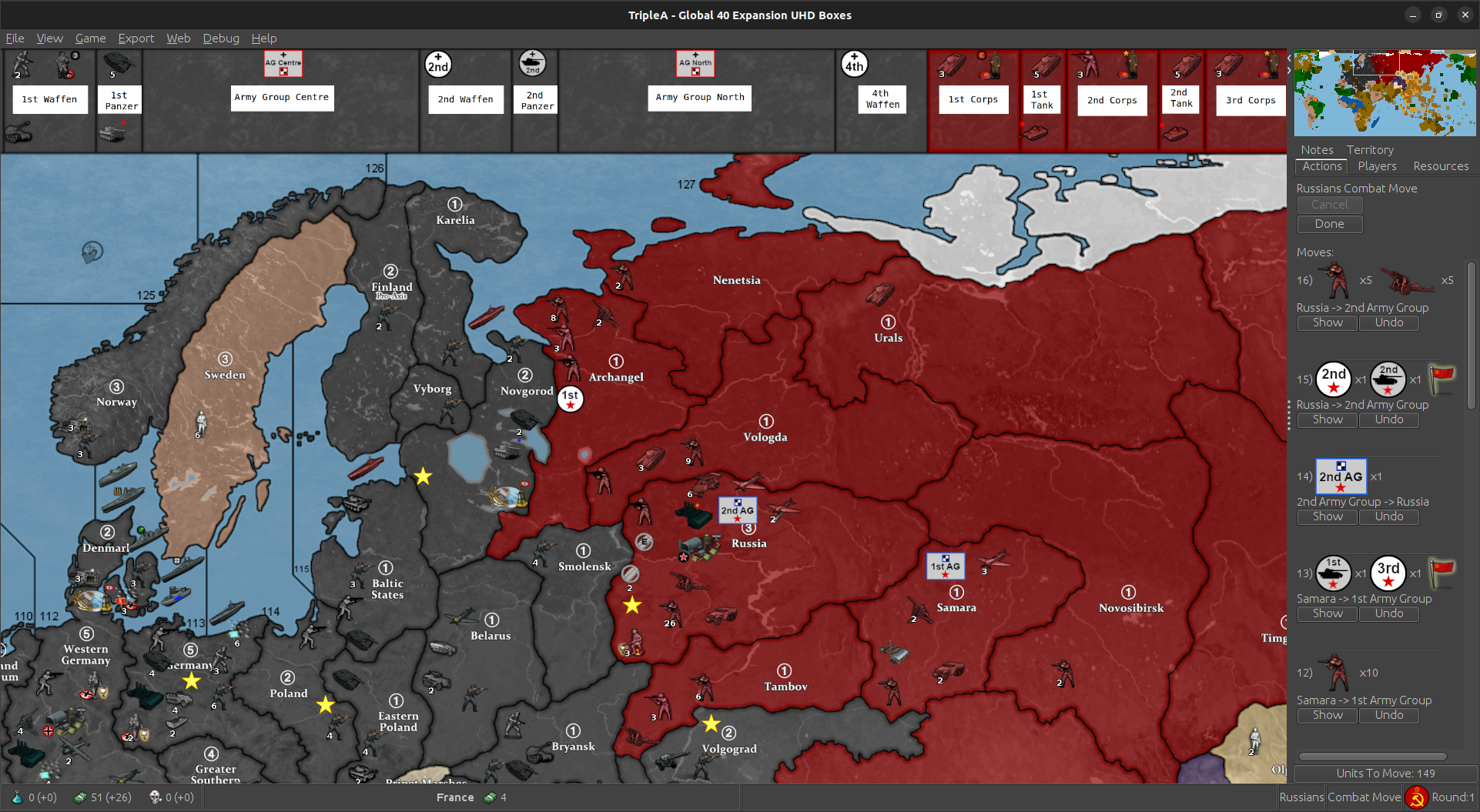
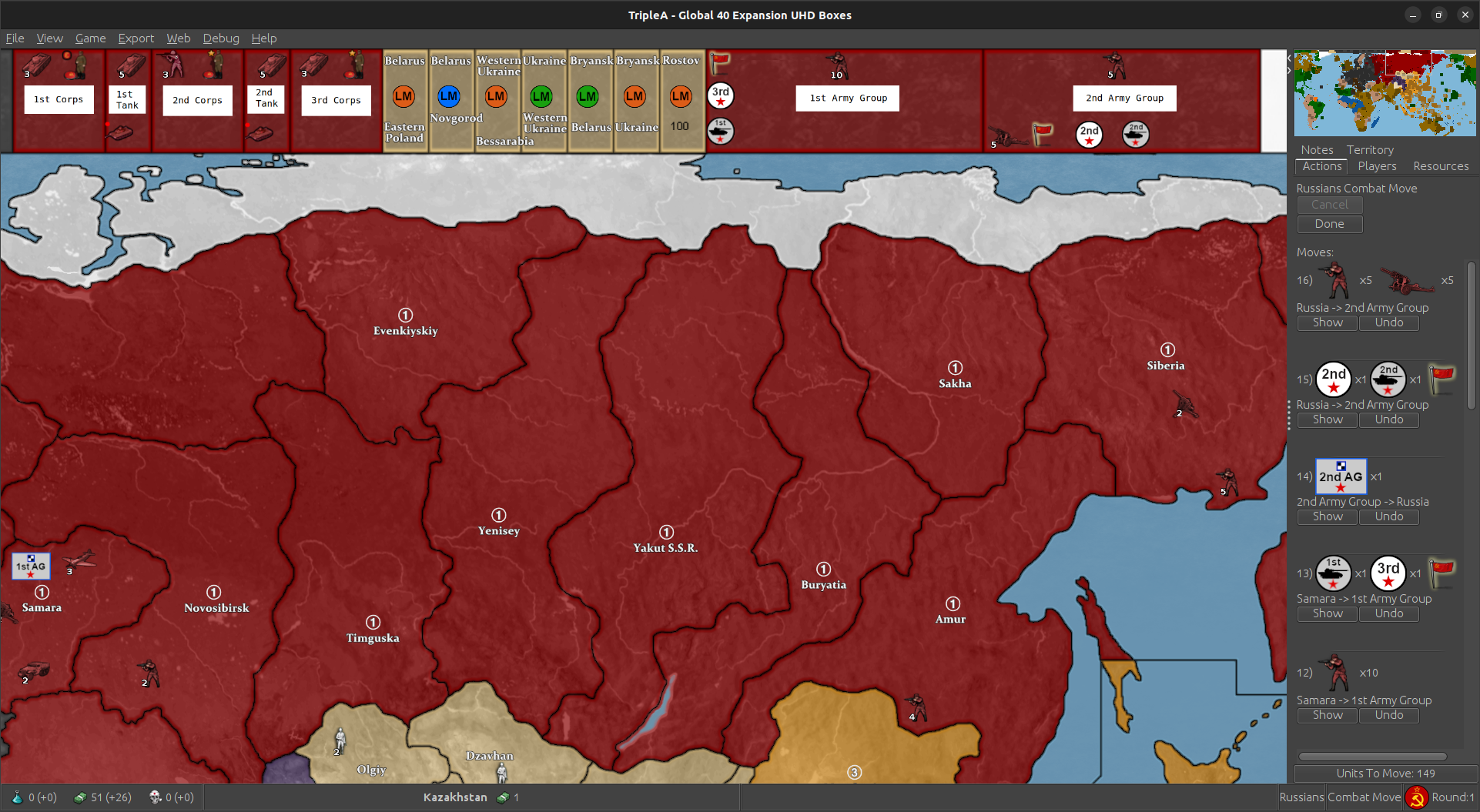

I think you’ll probably want to keep the Units in the TTy if enough room. You can put the markers there to identify. If you’re attacking, it works fine as you can move form box but any defenders you would have to edit.
You can probably tell if battle is likely a lot of times, so leaving in the Box not that big a deal. You’ll also need to Edit any Formations that are created at Placement.
Will just have to play around with it and see what works best :)
Edit
Updated the save. I’ll just trigger everything so it’ll startup that way. -
B barnee referenced this topic on
-
Update to Version 1.71
Change Log UHD Boxes:
Version 1.71
5/24/23
Fix TimeTable for 1943 Mod. Change Japanese “BB_Damaged” Image. -
Update to Version 1.713
Change Log UHD Boxes:
Version 1.713
5/24/23
Update D-Day Notes.Version 1.712
5/24/23
Add Objectives Tab.Version 1.711
5/24/23
Fix Movement To and From Boxes. Must use Edit now.Hopefully this has them all. Regular movement was whacking out, so you have to use edit “Perform Move or Other Actions” now.
https://github.com/beelee1/global_40_expansion_uhd_boxes
Added Git DL instructions to first post.
-
Wow, I think it looks great! I find it now much more clear to see where all armies are! Just need to add a shadow maybe to the tokens, so that they’ll look nice on the map.
FYI I am busy with the names, although I have trouble finding the right combination of shadow, outline, and font. Will keep you updated on how things look :)
-
@victoryfirst right arm :muscle: I think one can leave the Armies in the TTy and just move the token there in a lot of instances just to identify whats up.
As i said above, we’ll just have to test it out.
Just finished test turn for UK 6. Post up in a bit
-
hi everyone,
so the game is ready to go ?
and some questions i need to ask:In the game you can place you’re units before the attack starts, this needs to be done at the end of each round.
Only waffen units from germany and marines from america and the UK can be placed before the attack fase.Also when i attack a seazone next to england, in you’re game i can pick if i would scramble with the UK.
Butt i am playing Germany.So these are most inportant questions for me.
-
@cornelis-post Hi cornelis just saw this. Yea were ready at the game thread https://www.axisandallies.org/forums/topic/39913/barnee-and-cornelis-post-g-40-expansion/59
Yea so when it asks if you want to scramble post a save to the game thread asking if your opponent wants to scramble from which TTy to SZ.
Then they will reply and you continue your turn. Sometimes when it’s obvious one won’t scramble, they’ll mention it at the end of there turn. So you wouldn’t need to ask then.
Also, if it’s a complicated battle, you will need to ask for OOL, Order of Loss. If in doubt, just post the save at end of combat move and then ask for any battle you’re not sure of.
Once again, sometimes this will be mentioned at the end of previous turn if it looks likely to happen.
Yea only the units that are immediately available after purchase get purchased first place phase. So Infrastructure as well.
We’ll walk through it till you get the hang of it. First game or two takes a little bit to get used too. Plus were playing on the new Box map, so it’s new for everybody. :)
But yea, go ahead and post your combat move save and ask for scramble on game thread and I’ll respond, well probably sometime tomorrow . Tomorrow for me anyway :) I’m just headed to bed. :)
Also if you do the @ sign it’ll notify me you posted. I don’t know why this didn’t. I believe @VictoryFirst is in your time zone, so you can ask him any questions as well. He’s in the Netherlands. I’m central usa
Edit
@Cornelis-Post The above should read@barnee said in Global 40 Expansion Boxes:
Yea only the units that are immediately available after purchase get PLACED first place phase. So Infrastructure as well.
Everything is still “Purchased” at the same time just as in regular game :)
-
@VictoryFirst just noticed the sovietTank Tokens face away from G. Can you flip them ? The numbers go backwards when I do it. That’s why the commisars I have are backwards too lol
-
Update to Version 1.714
Version 1.714
5/26/23
Add Desert Army Icons. Switch Facing of Soviet Tank Armies.DL Instructions on 1st Post
https://www.axisandallies.org/forums/topic/39844/global-40-expansion-boxes?page=1 -
B barnee referenced this topic on
-
Update to Version 1.715
Version 1.715
5/26/23
Change “DesertGeneral3” in Tunisia to “Panzer_General”. 1943 Option Now Uses Boxes for Placement.https://github.com/beelee1/global_40_expansion_uhd_boxes
I think it might be better to leave the Army/Corps Tokens in the TTy with the AG as well as in the AG box. Seems easier to pick up on what’s what that way. I guess a third or more you could either remove or just look at AG Box to know.


-
@VictoryFirst I Dig It !!! Outstanding Work ! :)
I’m gonna tweak a couple waffens so they same size. Shift place on 4th waff and commie AGs just a bit.
Looks Killer ! I Dig It !!!
-
hmm … I have all the waffens the same size but 1st still shows up bigger

which is actually the size I want. Well, looks like they’ll have to be done individually. Just gonna go for what looks good :)
-
@VictoryFirst here’s the latest with Names. Can you change “Center” to “Centre” to keep the blokes happy lol. You know, like harbour, armour lol
[Names 6-1-23.zip](Invalid file type. Allowed types are: .png, .jpg, .bmp, .tsvg, .pdf, .gif, .txt, .aam, .xml, .xls, .doc, .ai, .psd, .apm, .cdr, .jpeg)
hmm they nodebb doesnt do zips heh heh sent to your email
-
I think I’m pretty much maxed out here for the time being. :)
Gonna head over to UHD and dial it some more :) lol
-
seeing if firefox will work with nodebb again yet
Nope
Still being forced to use brave which i don’t like -
Update to Version 1.716
Change Log UHD Boxes:
Version 1.716
6/14/23
Fix Samara Connections. Fix Allied Tank Generals being Air Transportable.DL Instructions https://www.axisandallies.org/forums/topic/39844/global-40-expansion-boxes?page=1
DL link, always same, https://github.com/beelee1/global_40_expansion_uhd_boxes
-
B barnee referenced this topic on
-
Scotland bringing some Long Range Artillery offshore lol

-
1943 max out lol

Suggested Topics