This is copy paste post from the TripleA main site, in case new players are not updated on how the “new” TripleA works:
Here is a list of places where you can get popular maps for TripleA (version 1.2 and later):
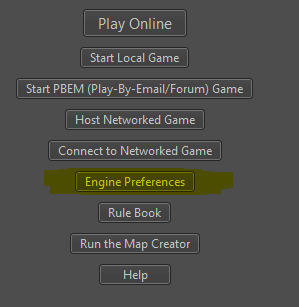
All you have to do is start up TripleA 1.2.X.X (Yes that means run the .exe or .sh) and click on the “Download Maps” button. A dialog box will open where you can add links to “Map Repositories” (sites that host maps.) Here’s are a few to add:
http://sites.google.com/site/tripleawarclub/tripleawarmaps.xml
http://sites.google.com/site/veqryn/documents/TripleA_Maps.xml
http://sites.google.com/site/tripleaerniebommel/home/mods/TripleA_Quality_Mods_EB.xml
Just take the second link (the long http one that ends in .xml), and copy it. Then open up TripleA, click on Download maps, then PASTE it into the blank box there, then click “list games”. (clicking the links to the .xml below will do nothing for you). Here is a Slideshow showing how to do it.
Veqryn’s Website just for Hosting Maps:
http://sites.google.com/site/veqryn/documents/TripleA_Maps.xml
Maps by this link:
World War II v1
World War II v2 (3 diff startups)
World War II v3 (2 diff startups)
World War II v4 (3 diff startups, including 6 Player Free for All)
New World Order 1.7EB
Pact of Steel
270BC
Middle Earth 12 player (lord of the rings)
Twilight Imperium
Battle of Aventurica
Small Balanced (4 game variants)
Greyhawk
First Punic War
Great Lakes War
Sleeping Giant
Peninsula Campaign (civil war)
AA Enhanced Revised
TripleA Supply Depot contains many tutorials and help guides for TripleA
TripleA Supply Depot: <– has tutorials and slideshows for beginners
http://sites.google.com/site/tripleaerniebommel/home/mods/TripleA_Quality_Mods_EB.xml
Maps:
New World Order 1.7EB
Pact of Steel
270BC
Middle Earth 12 player (lord of the rings)
World War II Classic
World War II Revised
World War II v3
World War II v4
Twilight Imperium
Battle of Aventurica
Small Balanced (2 player, 4 player, and FFA variations)
Greyhawk
Big World Variations
WW2V2 Variations
Pact of Steel Variations
a bunch of maps still under development
TripleA War Club website contains a Ladder and Tournament for playing games:
The War Club:
http://sites.google.com/site/tripleawarclub/tripleawarmaps.xml
Maps:
World War II Classic
World War II Revised
World War II v3
World War II v4
Small Balanced
The Main Website for TripleA:
http://sites.google.com/site/tripleadownloadexamples/home/triplea_games.xml
Maps by this link:
First Punic War
Great Lakes War
Roger Cooper Scenarios Website:
Maps:
There are ton of maps listed at his website
For instructions on setting up your own map repository see http://n2.nabble.com/Hosting-Maps-and-mods-tp3916686p3916686.html
I would also like to provide links to a browser accessible battle calculator, and if you are in need of strategy please check out the Forums of AxisandAllies.org. TripleA also has a wiki site.
If you are new to War Games, I highly suggest you go and read a Rules Book for a certain popular war game that happens to be very generic in manner. Slightly more advanced rules may be more complex, but are more rewarding too (though they may require some help).
If you have a map or a link you would like me to include, pm me and i’ll add it to the list.
Thx
Veqryn
PS: if you have made a map for tripleA 1.2.1.0 or later, it works and runs, and you would like me to host it, please pm/email me or post below. I will upload it to my site and include it in my .xml for downloading through tripleA.
This list is edited, so check back often.